

Consumer Registration Instructions
 1
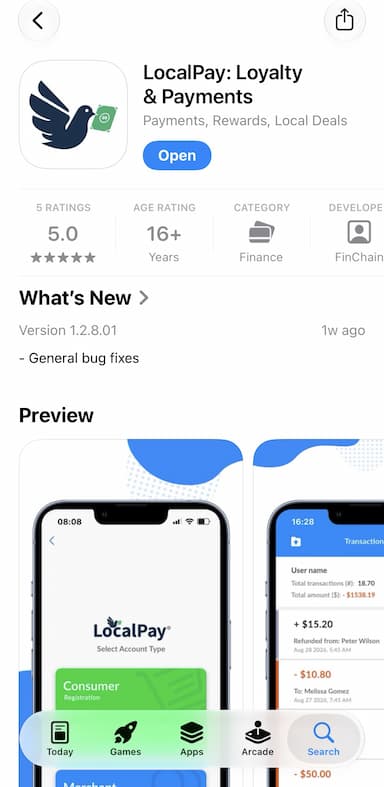
1Download LocalPay: Loyalty & Payments from the App Store or Google Play
 2
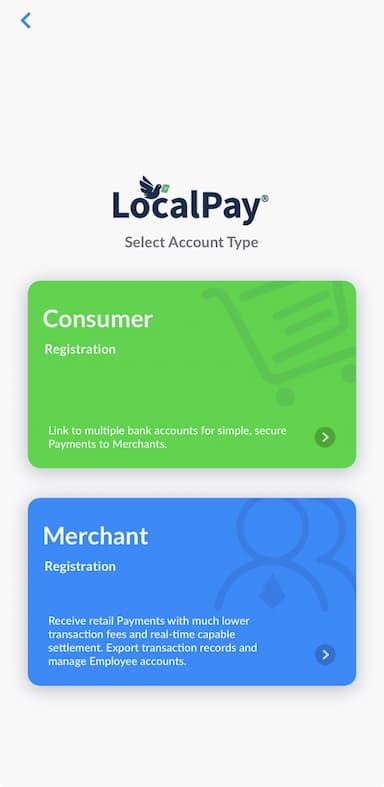
2Select Create Account, then Consumer Registration to create your account
 3
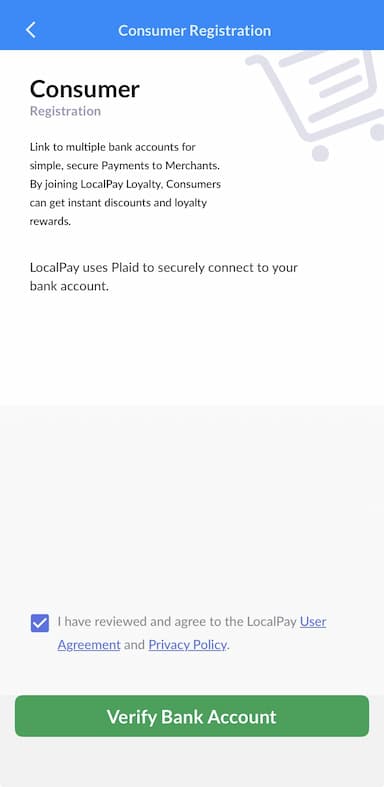
3Review the User Agreement and Privacy Policy, then tap Verify Bank Account
 4
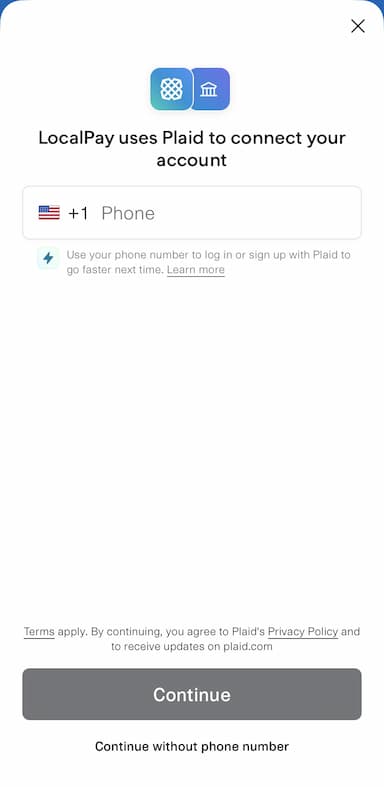
4Select Continue as guest / Continue without phone number
 5
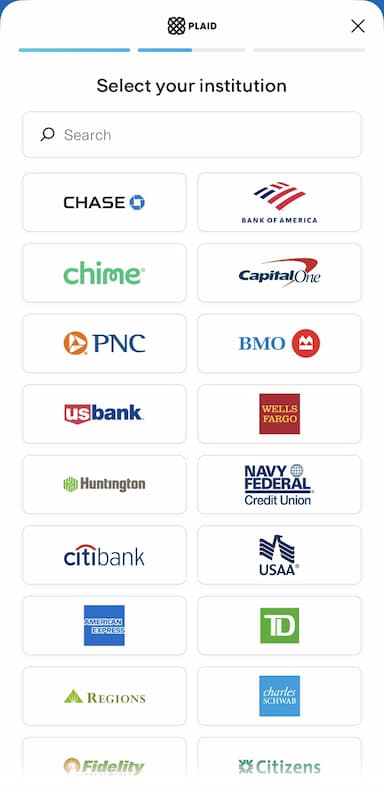
5Search for your bank and select it. Tap Continue to login
 6
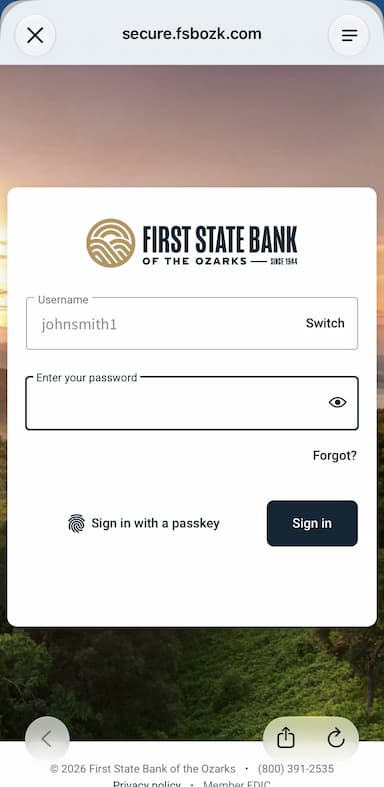
6Log into your bank's online banking with your bank login credentials. This may include SMS verification
 7
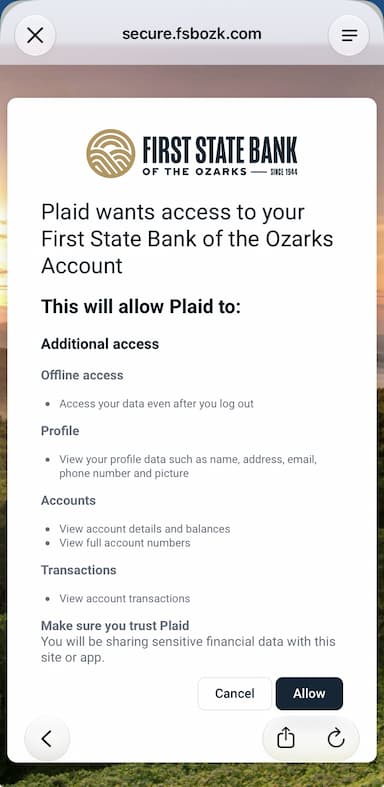
7Tap Allow to let Plaid display your available bank accounts
 8
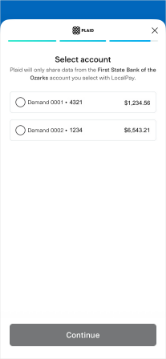
8Select the account you want to link and tap Continue, then Finish without saving
 9
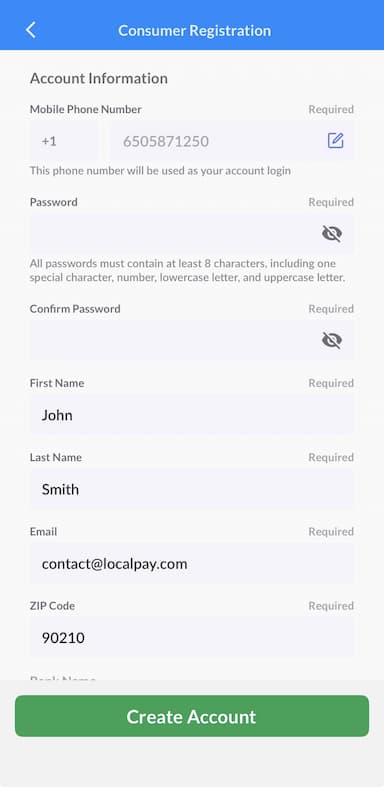
9LocalPay autofills your profile. Add/edit any additional information, including your phone number, password, name, and email
 10
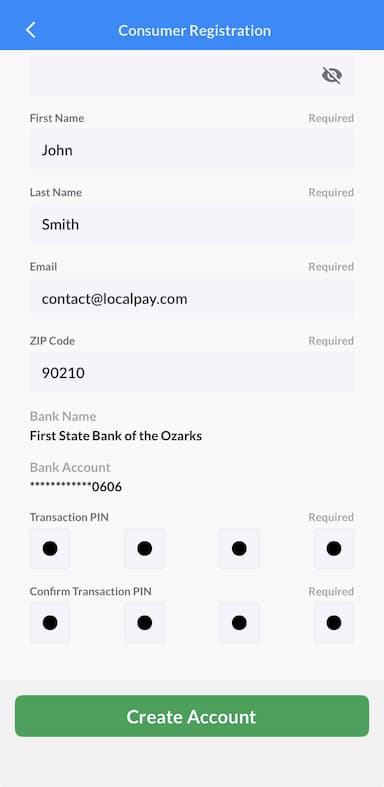
10Create your 4-digit Transaction PIN. This PIN will be used to authorize payments and other secure functions, so be sure to remember it.
 11
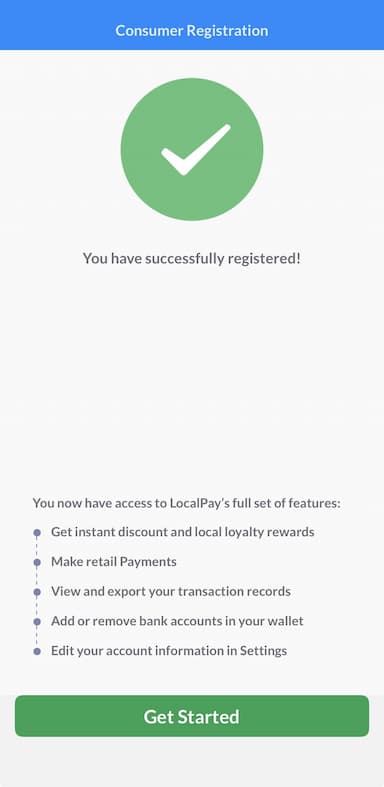
11Tap Create Account, then Get Started
 12
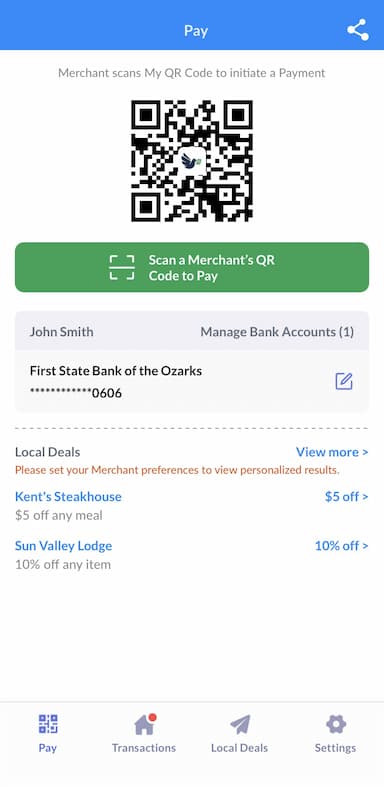
12A QR Code will display with our linked bank account on your completed LocalPay account home page. You are now ready to make payments with LocalPay!